The National Association of Realtors (NAR) settlement terms went into effect in 2025.
Showings now required paperwork, legal disclosures, and documented consent. This sparked both urgency and opportunity from leadership.
Agents needed help keeping track of templates and agreements while reducing time spent on these so they could get back to doing what they do best.
↓ Check out the nerdy details below ↓
Sr. Product Designer
June 2025
User Research, UX Design, Prototyping, Storytelling
2 Sr. Product managers, Director of Engineering, Sr. Software engineer
Engineering quickly built a mobile-first prototype that allowed agents to complete templates and send agreements to buyers for signature through DocuSign. UX was brought in later in the process, and the experience needed refinement to make it clearer, more scalable, and easier for agents to manage their agreements.
The goal that came from the CTO was to test the concept with real agents within three months.
My design teams were already at capacity, so I took ownership of the design work and led the effort to bring this new idea to launch.
Role & Challenge:
This project required someone who could move quickly, make decisions, and smooth out the rough edges with minimal oversight. I led the redesign of this end-to-end, while still supporting my teams. I partnered closely with two PMs, a small engineering team, design leadership, accessibility, and a UX writer.
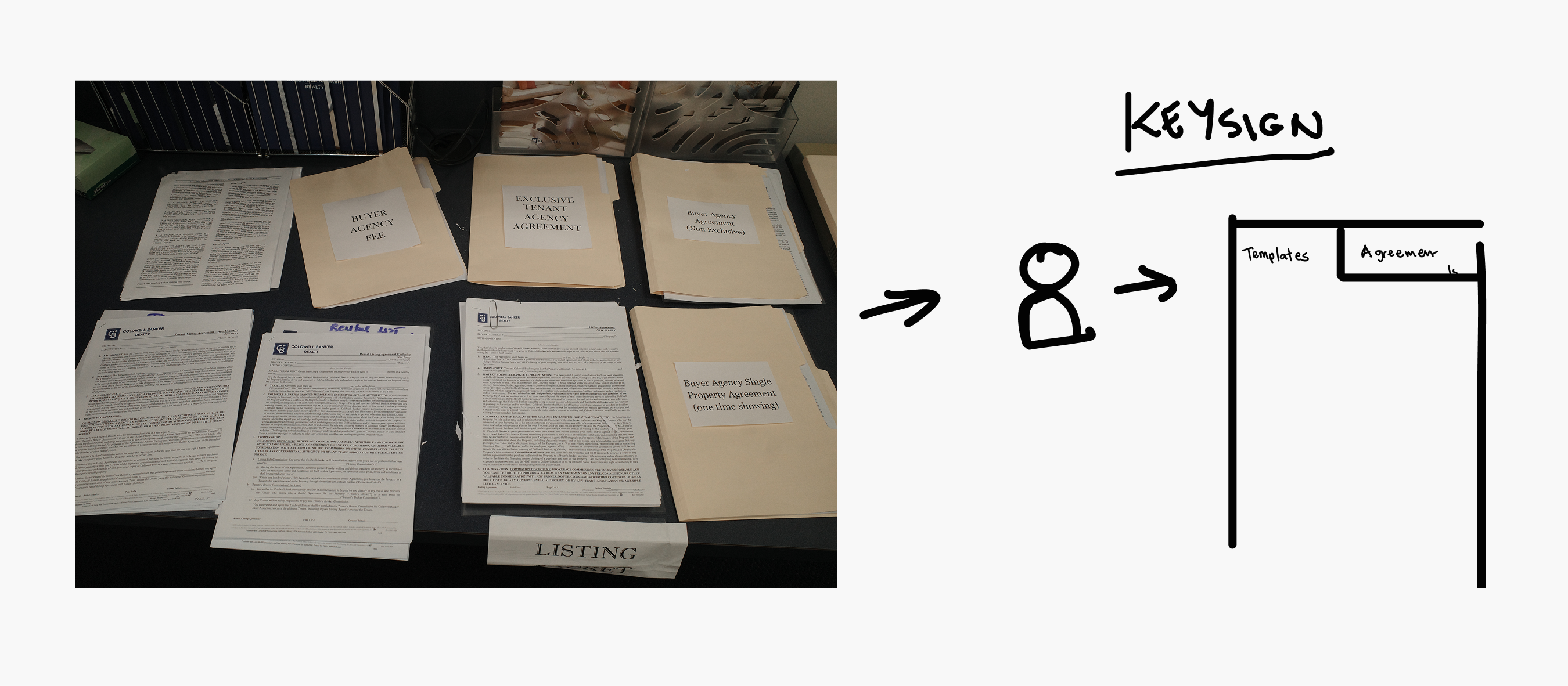
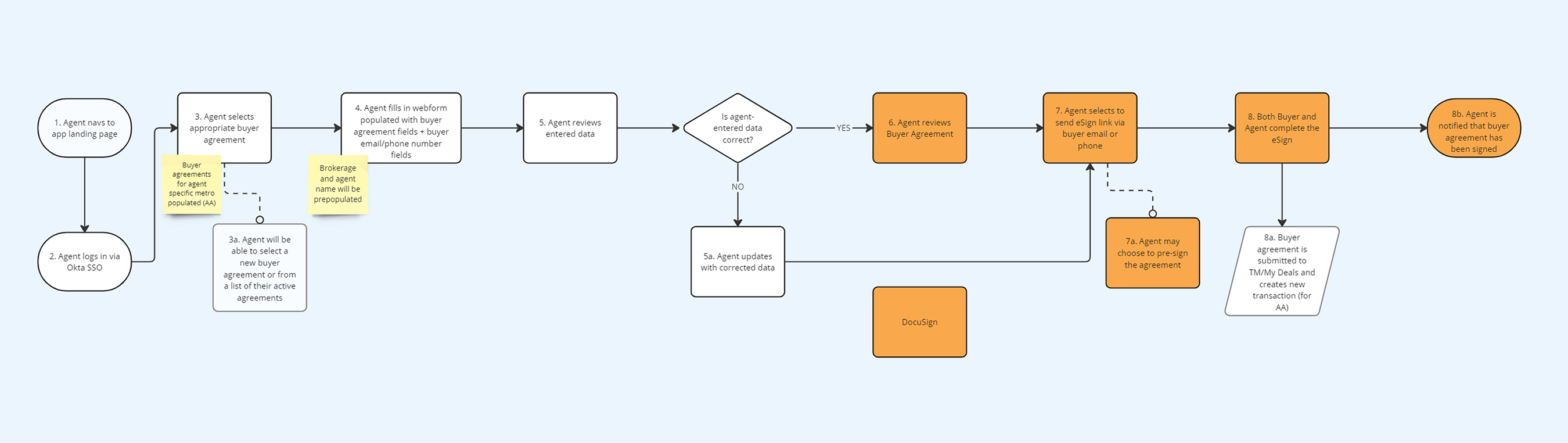
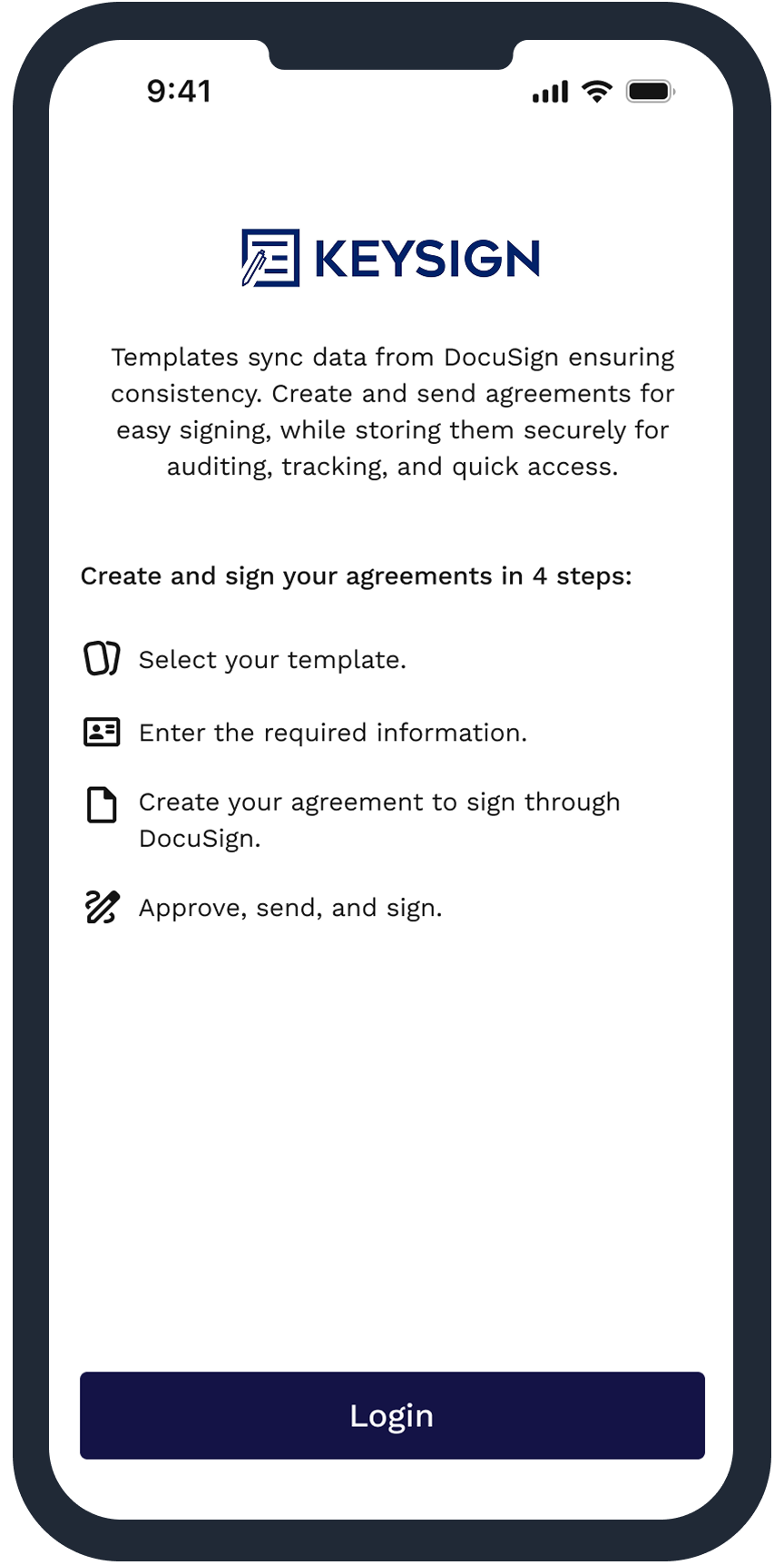
The real pain point agents were facing was the added new legal paperwork that had to be completed before every showing. Their workflow was painful: print a template, fill it out, scan it, text or email it to the buyer, and wait until they signed it before showing the property.
So how might we help agents draft up paperwork in a more efficient and clear way without tearing down and rebuilding the app from scratch?
The goal wasn’t to reinvent the product. It was to take what existed, the engineering-built version, and transform it into an experience that put our users first.
Discovery:
The initial prototype tried to simplify the agreement process by mapping all of the fields agents had in their DocuSign templates into a mobile-friendly form. But once we started using it in real life scenarios, I realized it wasn't scalable.
What if the agent worked across more than one metro area? The experience became overwhelming and hard to manage. The CX didn’t pass accessibility or content reviews, and used Material UI instead of leveraging our exisiting design system.
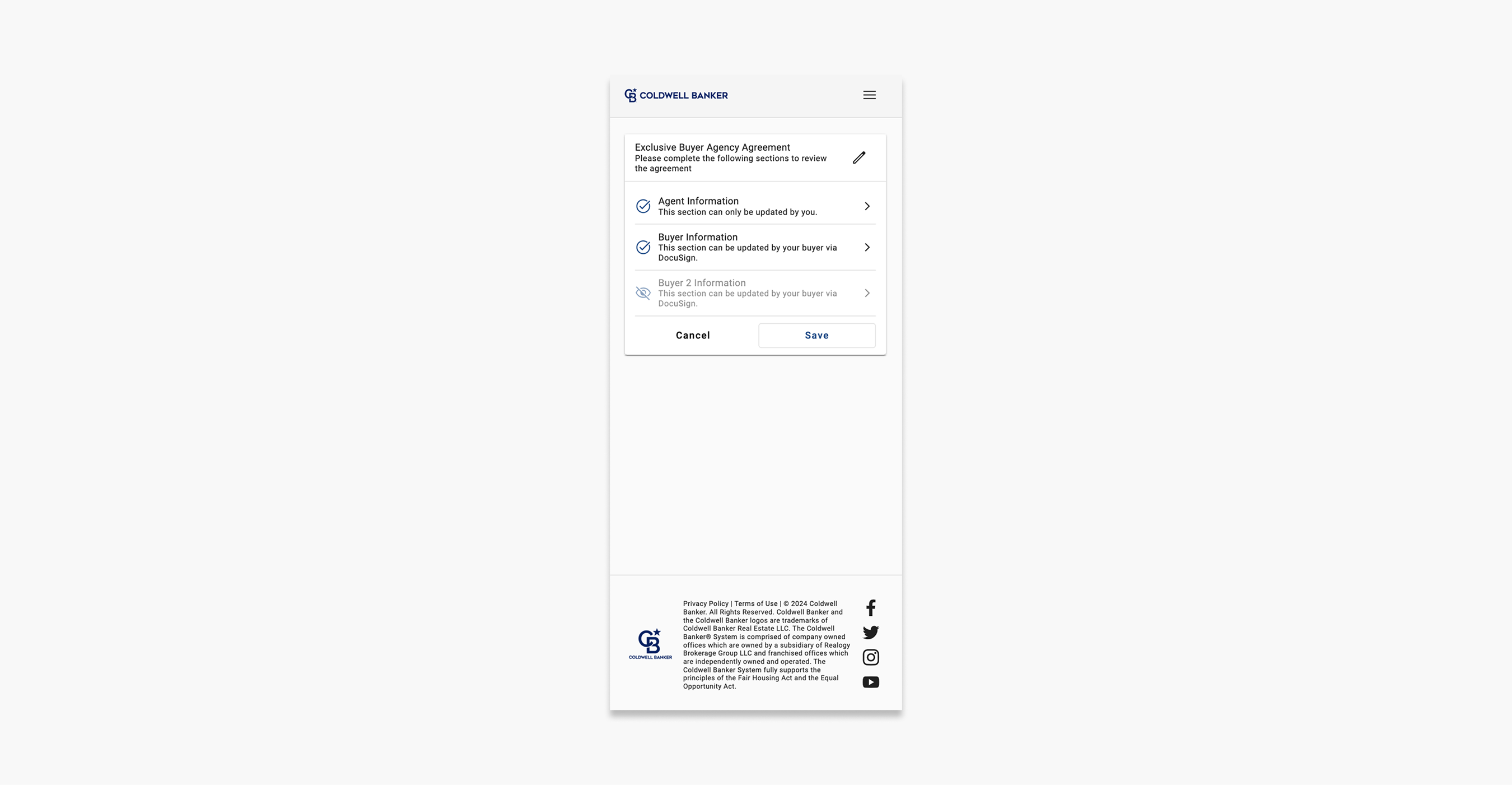
Engineering-led original prototype
The engineering team was understandably nervous. They had built the foundation themselves under tight timelines, and any significant design change risked their delivery dates.
With limited time for research, I aligned closely with product on user insights and business goals, and carefully studied legal and compliance requirements. I connected with design leadership and accessibility partners to make sure we were meeting the bar.
My goal was to understand the architecture deeply enough to design within its constraints while delivering a better experience.
Design Strategy:
I anchored the strategy around five tenets:
1. Minimize cognitive load for agents who are often multitasking: Agents rarely sit at desks when they fill these out. They’re in their cars or standing in front of a house with potential buyers waiting.
2. Make the workflow predictable and stable across jurisdictions: An agent in Seattle might show homes in Bellevue and Tacoma. Each has its own templates and rules. Consistency is key.
3. Build trust through clarity: This tool needs to help and enhance the agent’s workflow, not hinder it. The CX needed to be easy and intuitive to create and manage their contracts.
4. Respect engineering constraints without sacrificing usability: We didn’t have time to rebuild, so I had to be smart about where to concentrate efforts.
5. Set the foundation for long-term integration: If this experience succeeded, it would become a core feature in the agent platform already under development.
Collaboration & Constraints:
This was one of those projects where the design wasn’t the hard part, the constraints were. Engineering was protective of the prototype they had built under pressure and worried that any changes could extend timelines.
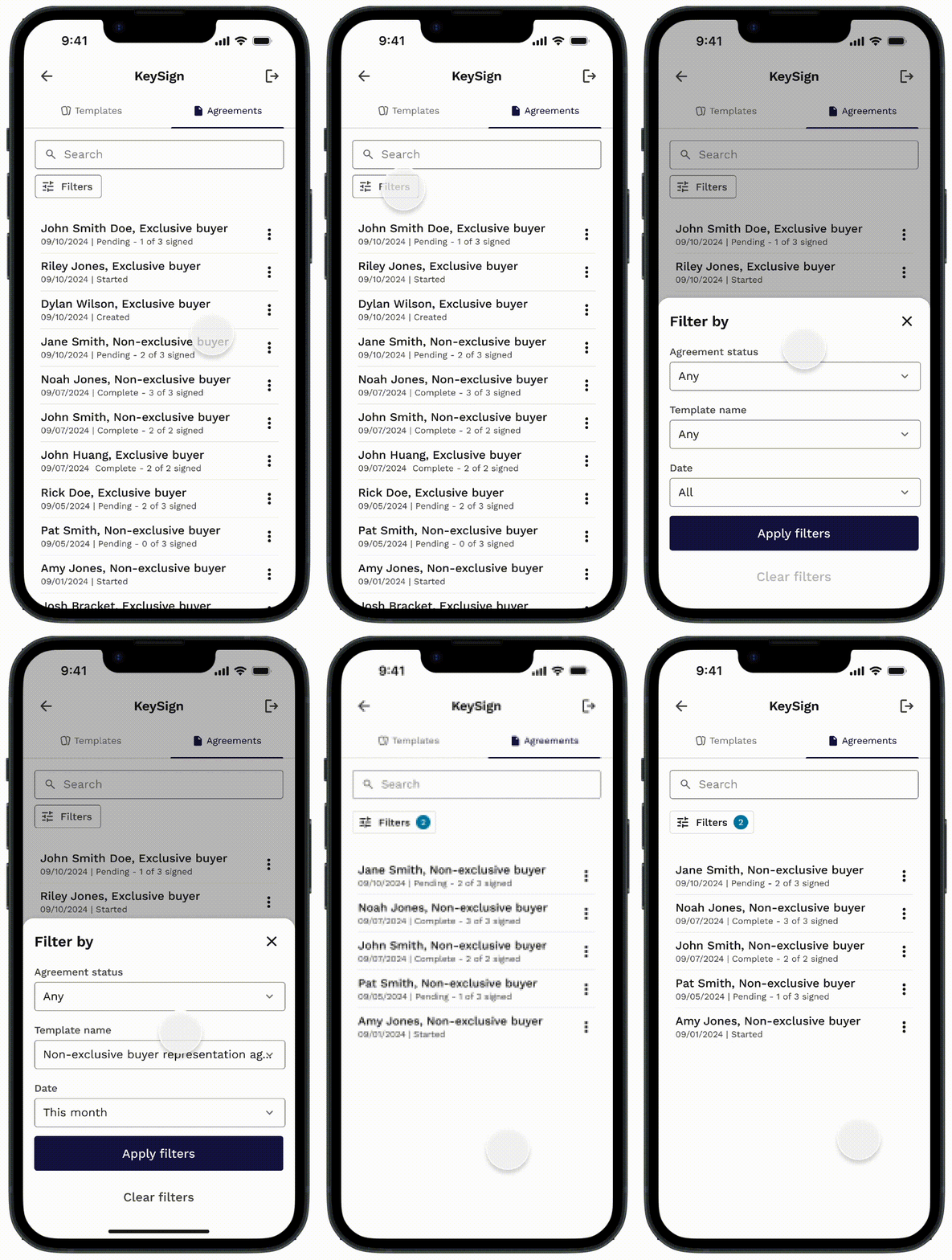
I took a collaborative approach by highlighting use cases and patterns that could be improved with simple solutions like separating Templates and Agreements into tabs. A low tech lift with improved usability.
Another example was the interaction pattern to add a second buyer. The current version wasn’t intuitive.
The list item would be shown at the bottom with a grayed-out eye slash icon. The user would have to click into it and ‘turn on’ the form with a toggle.
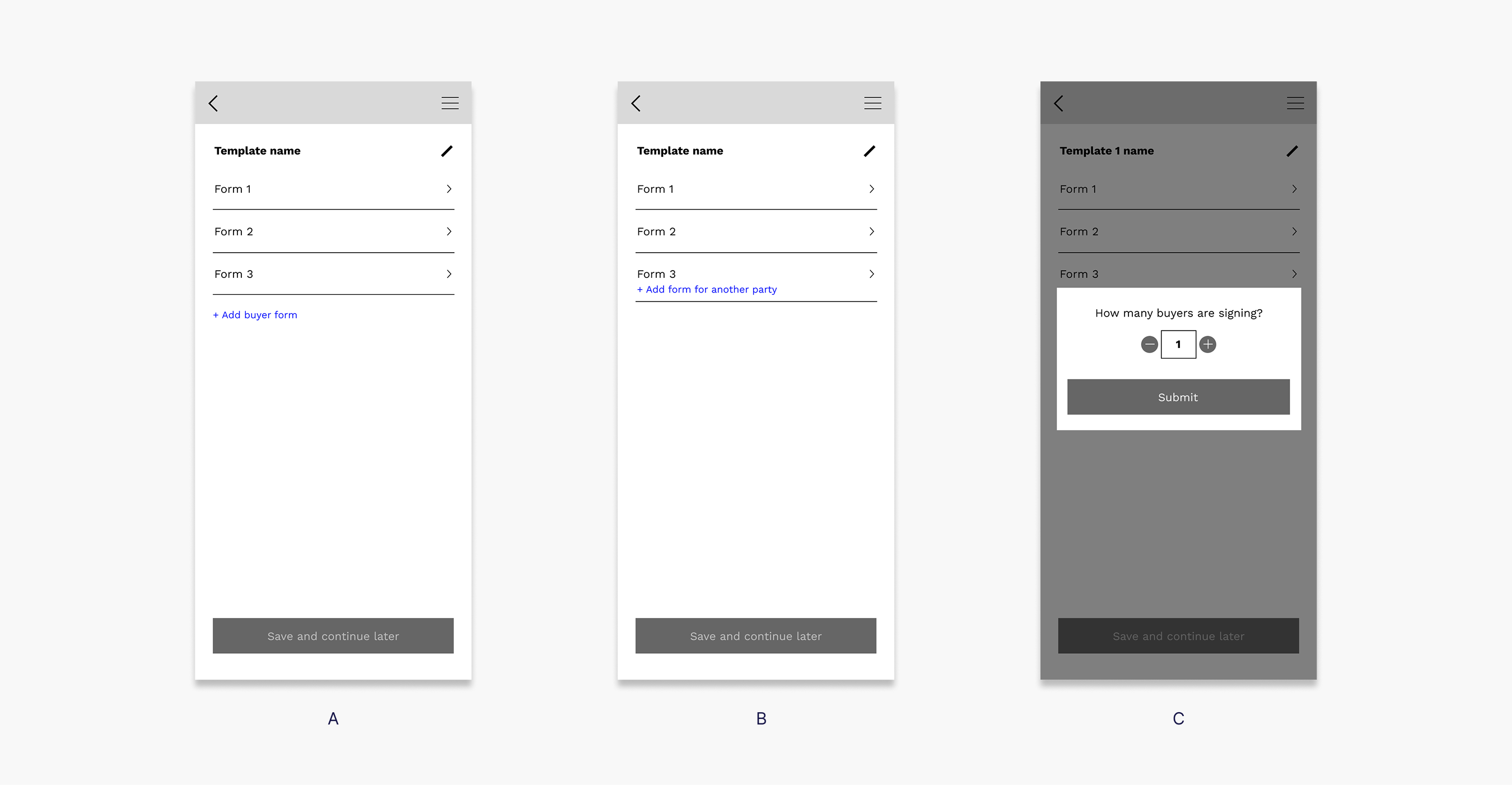
My initial wireframe explorations proposed solutions like asking upfront how many buyers the agent needed, adding an ‘Add ‘ button, and creating dynamic conditional fields.
But engineering pushed back, the tech lift required back-end changes and they couldn’t make in time.
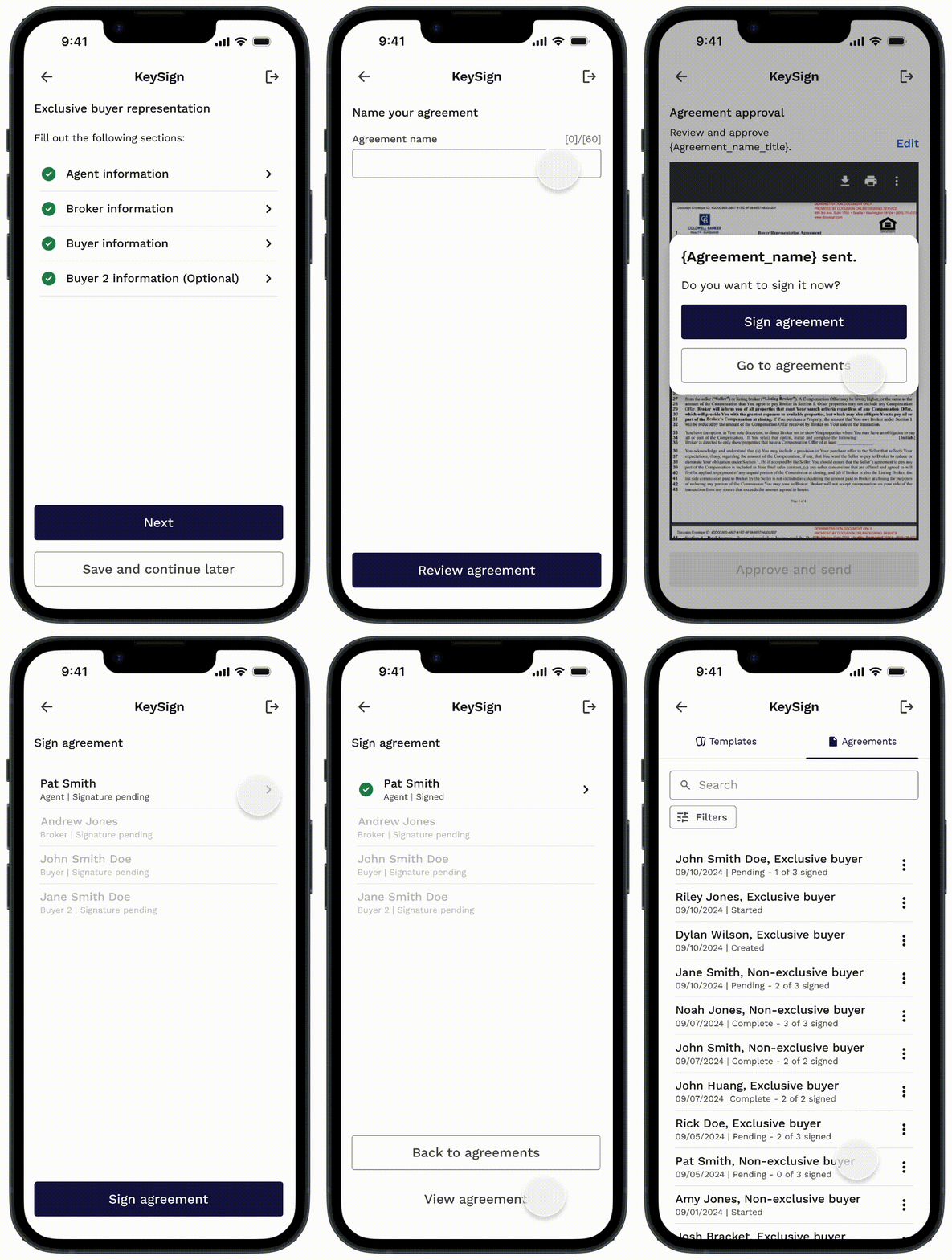
I stepped back and proposed a simple copy change. I added “(Optional)” next to the second buyer’s section.
That was it. No logic changes, no new components, no touching the back-end.
Product & Engineering loved it. And it worked.
Final design:
The final experience preserved engineering’s architecture but transformed how agents moved through the flow creating a clearer and scalable CX.
I made sure we leveraged data to help agents move faster through their agreement creation by pre-filling information with data we already had and improved filters to make searching easier.
Engineering added a feature where the agent could take or upload a picture of the buyer’s ID to fill in the fields effortlessly. I met with our UX writer to ensure the messaging was instructive and clear.
Buyer consent was also something that needed to be thought through clearly and I partnered closely with UX writing. This was an interesting problem because the agent would be consenting for the buyer. This was clear all around to make sure it passed legal reviews.
Once all the forms were complete, the agent could review the agreement, approve and send it via DocuSign to their buyer and move on.
After the initial launch, and receiving feedback from agents. I went back in, with engineering’s blessing, and added the ability for agents to sign agreements directly in the app, removing an unnecessary detour into DocuSign.
The concept performed extremely well during testing and early rollout. Agents who previously spent 20-30 minutes drafting paperwork could now complete agreements in just a 5-10 minutes.
70% decrease in Time on task completion
83% decrease in Error rate
67% increase in Adoption rate
Agents reported decreased Cognitive load
This reduction in time made agents very happy. It also helped them make less errors and decrease back-and-forth with their buyers. Leadership saw the value immediately. The app is now being integrated as a feature into Anywhere’s flagship agent software.
Some wins for the UX team, trust between engineering and design was stronger and we now had a validated path for scaling into the agent software.
The biggest lesson for me wasn’t about workflows or templates. It was about partnership. This project reminded me that even under heavy constraints, you can deliver a great experience. It reinforced the value of clarity, empathy, and creativity, especially when timelines and tech constraints make it feel impossible.
It also solidified my role as both a design leader and a hands-on problem solver. Leading teams while jumping in to design a high-stakes, high-speed product myself was a challenge, but it was also highly rewarding.
And perhaps most importantly, it highlighted the impact of bringing UX in early by establishing credibility and trust with our partners.
To comply with my non-disclosure agreement, I have omitted and/or blurred confidential information. All of this case study's material is copyrighted and property of Compass Intl. Holdings.
Life moves pretty fast, if you don't stop and look around once in a while, you could miss it
Thanks for stopping by
Have some fun